Notes
Plain text notes that save on every keystroke and sync one way into your vault's inbox when your server is reachable.
- Home key: n
- Needs: Works with nothing
- Stored: notes/ in the data directory
- Syncs to: inbox/pennyos/
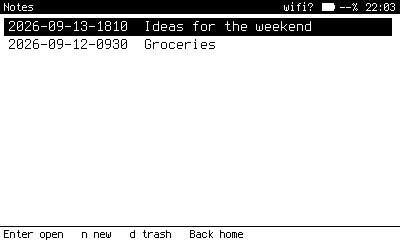
The notes list, newest first. Notes are named for the minute they were created.
What it does
Notes is the offline core of PennyOS: a list of plain text files and one editor. Nothing to configure and nothing to lose, because every keystroke is written to the card.
Keys
| Where | Key | Does |
|---|---|---|
| List | Enter | Open the selected note. |
| List | n | New note, named for the current minute. |
| List | d | Move the note to .trash. |
| Editor | Ctrl+s | Save now. It already saves as you type. |
| Editor | Back | Back to the list. |
Notes opens on the list. To open straight into the last note instead, set notes_open_last = true in local.conf.
Sync
When your server answers, a sync copies notes into inbox/pennyos/ in your vault with rsync. It is one way: the device never pulls notes back, and editing the copy on the server does not change the device. From the inbox, your vault's normal ingest decides what becomes a wiki page.
Saved Store reports and News reading list entries are written as notes too, so they travel the same way.
With glasses
If Link's monitor is on, what you type is shown live on paired glasses and removed from the hub when you close the editor.