A read only inbox. Your server signs in to your mail account and hands the device headers and text over SSH, so no mail password or token ever lands on the device.
- Home key: m
- Needs: Needs your server
- Account: On your server
- Offline: Inbox and text from the last sync
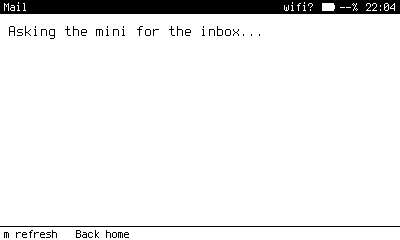
Mail asking the server for the inbox. With no server configured, it waits and then says so.
What it does
Mail shows your inbox as a list and one message at a time, wrapped to the screen. It reads. It does not send, reply, archive, label or delete, by design. Opening a message marks it read, which is the one change it makes.
Keys
| Where | Key | Does |
|---|---|---|
| Inbox | Enter | Open the message. |
| Inbox | m | Refresh. |
| Message | Up Down, PgUp PgDn | Scroll. |
| Message | Left Right | Previous and next message. |
How it works
- A reader script on your server,
pennyos-mail, holds the account settings in~/.config/pennyos/mail.confat mode 600. - The device calls it through the gate's
mailshape and gets JSON back. The gate never lets the device run the reader'sauthcommand. - The list carries the first part of each message's text, fetched with a peek so nothing is marked read. Opening a message draws that copy immediately, then asks the server for the whole message.
- Offline, the stored copy is the message, and the footer says how old it is.
The Home badge counts messages that arrived since you last looked at the inbox on the device, not the total unread in the folder.
Set up the account
Copy tools/mail.conf.example to ~/.config/pennyos/mail.conf on your server and choose one of two ways to sign in:
- App password. Set
auth = passwordand use an app password from your mail provider. - OAuth. For an account that will not issue an app password. Create an OAuth client of type Desktop app in your own Google Cloud project, put its id and secret in
mail.confwithauth = oauth, then sign in once from a computer with a browser:
From a computer with a browser
ssh -L 8765:127.0.0.1:8765 you@server pennyos-mail authOpen the URL it prints and allow access. The refresh token is saved on the server at mode 600. Revoke it any time from your Google account's security page.
Read how Google user data is handled in the privacy policy.